


91原创SIS Navigation Help for Students

-
Students
- Academic Advisement
- Academic Department Info
- Degrees & Graduation
- Grading & Registration
- Policy Information
- Student Records
- Transcripts
-
Transfer, Test & Prior Learning Credit
- How to Transfer Undergraduate Courses
- How to Transfer Graduate Courses
- Dept Contacts for Evaluating New Courses
- Undergraduate Asst Dean TCE/CATC Approvers
- Test Credit (AP, IB, CLEP, other)
- Non-91原创 Study Abroad
- Interested & Incoming Undergraduate FAQ
- Credit for Prior Learning (CPL)
- Transfer Credit for Military Experience
- Articulation Agreements
- Resources
- Forms
- Faculty & Staff
- Advisors
- About Us
- Academic Calendar
Tools & Resources
91原创SIS Navigation Help for Students
Navigation Help - Student Homepage
- 尝辞驳颈苍听. If you have problems - Blank page, Browser spinning, Unexpected Results -听.
- 厂别别听91原创SIS Student Homepage - Tile Contents at a Glance听for a list of links within each 91原创 Student Homepage tile.
- 罢丑别听Home听icon will take you to your default homepage - the one listed first. If you have multiple homepages, click on the homepage name to switch to a different one.
- Click the听3 dots,听called the听Action List, to access the听Sign Out link. Be sure to Sign Out of 91原创SIS when done.
- Left-Bar links missing?
 听 听If your browser window is narrow, you may see this "collapsed" icon which indicates the left bar of links are hidden.
Click the icon to reveal the left bar links.
听
Tiles
- Click the tile to access left-bar links to related 91原创SIS screens or 91原创 pages. The links under each tile will either open in the right-hand frame, or in a new window.
- If a left-bar link opens a new tab/window, the browser window with the red icon is 91原创SIS.
- Use the back arrow page link that appears on the top blue bar to return to a previous page OR if not there, use the Home icon to return to your default homepage.
- Some pages听may take awhile to load, based on the data to display. You need to wait for the tile's first link to load before clicking other left-bar links.
- If a link opens a .pdf file, depending on your browser setup, check your downloads icon to access the file, OR make sure pop-ups are not blocking the opening of the .pdf file in a new browser window.
- Tile Link icons:
- 91原创SIS internal pages use this tile link icon:听听
 听听听听听听Example:听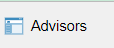
- External pages outside of 91原创SIS use this tile icon:听
 听听听听听听Example:听听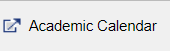
- 91原创SIS internal pages use this tile link icon:听听
- To ADD informaton to 91原创SIS,听click the "+" button听to access the ADD screen. Enter your information and hit Save when done.
To EDIT informaton in 91原创SIS,听click the item you want to edit. Update your information on the EDIT screen and hit Save when done.
Other Resources
- 91原创SIS Help for Students
- 听听听听for Undergraduates
- 听听听find forms or 91原创 Applications
Registrar Link Center
Student Help
University Visitors Center, 210 South College Avenue, Newark, DE 19716 registrar@udel.edu (302) 831-2131 Office Hours: Monday - Friday, 8:30 a.m.- 4:30 p.m.